Are your Inbox and Sent Items ever increasing in messages?
Are you holding messages from a year ago that you will never read again?
Regular pruning of both these is an option and good housekeeping.
Click on
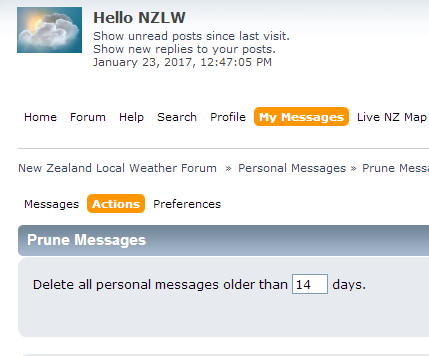
‘My Messages’ on the top menu. Once logged in you will see Messages, Labels, Actions and Preference along the top.
Click on
'Actions' and under there click on ‘
Prune Messages’.
Type in the number of days you wish to delete all personal messages older than.
Click on
Delete on the right.
That’s it, done



 Share Topic
